Vidéo étape par étape
Nécessite l’installation du plugin Dynamic ooo.
Activez l’extension Dynamic Select for Elementor Pro Form
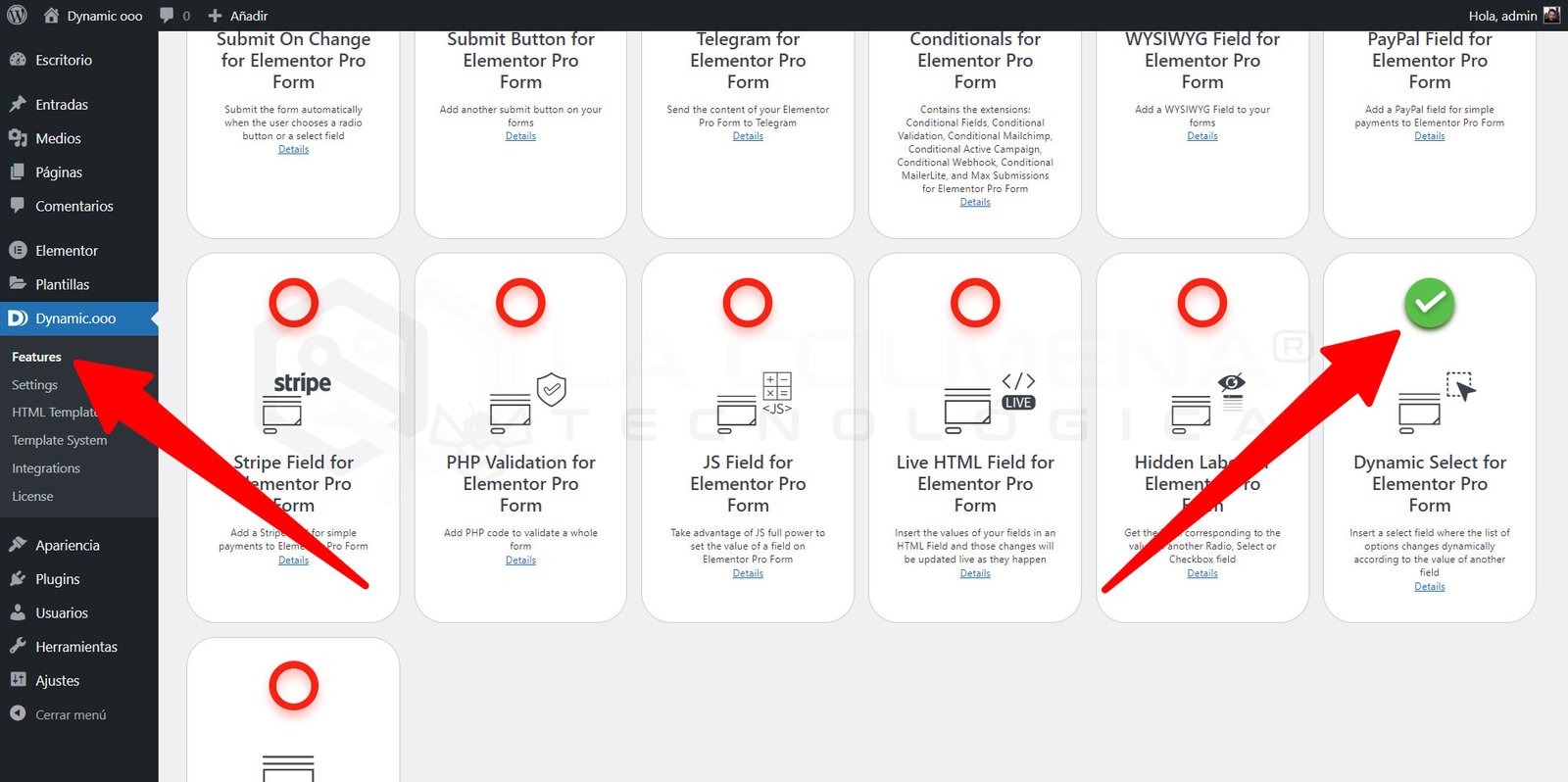
- Naviguez vers Dynamic.ooo > Features
- Cliquez sur l’onglet Extensions
- Faites défiler jusqu’à l’extension Dynamic Select for Elementor Pro Form et cliquez sur le cercle rouge pour l’activer
- N’oubliez pas de cliquer sur le bouton Save Extensions pour enregistrer la modification
Quelques captures d’écran pour vous aider
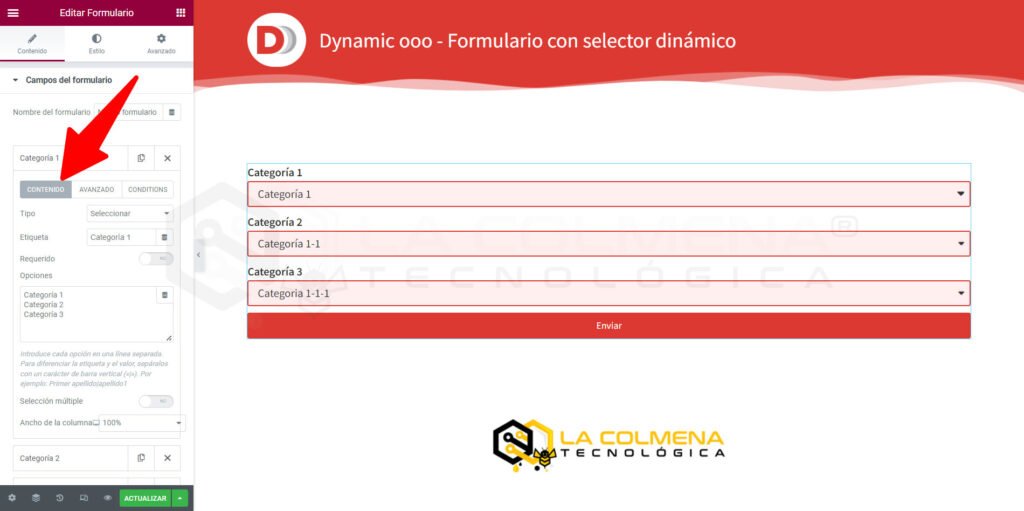
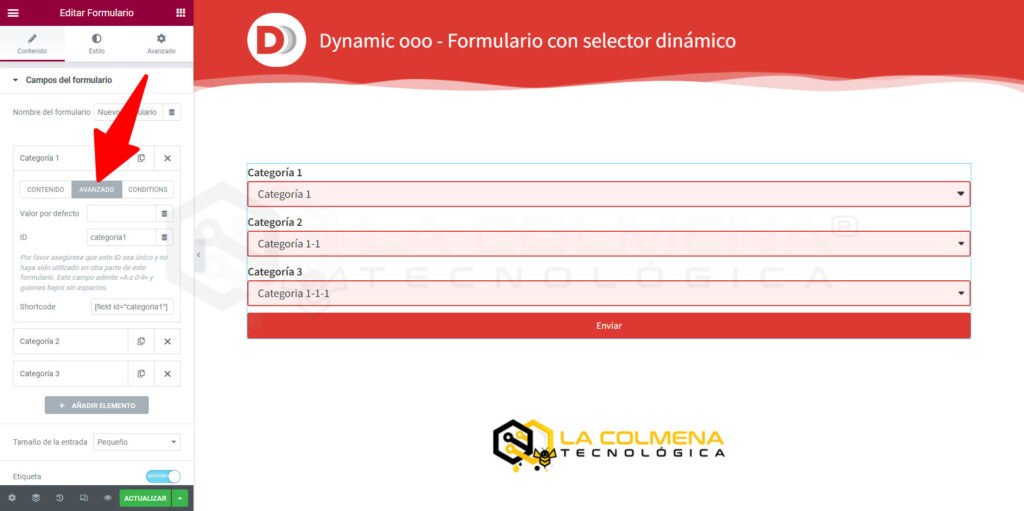
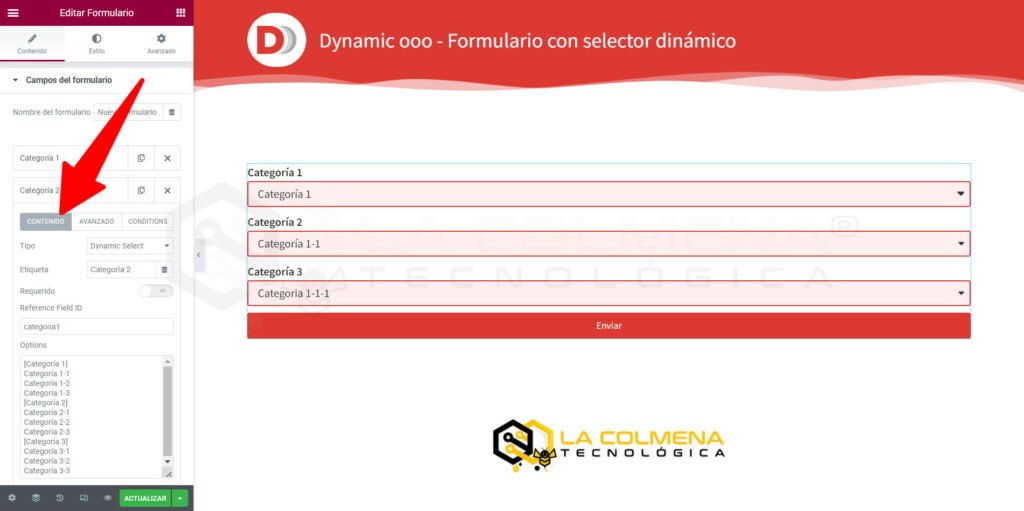
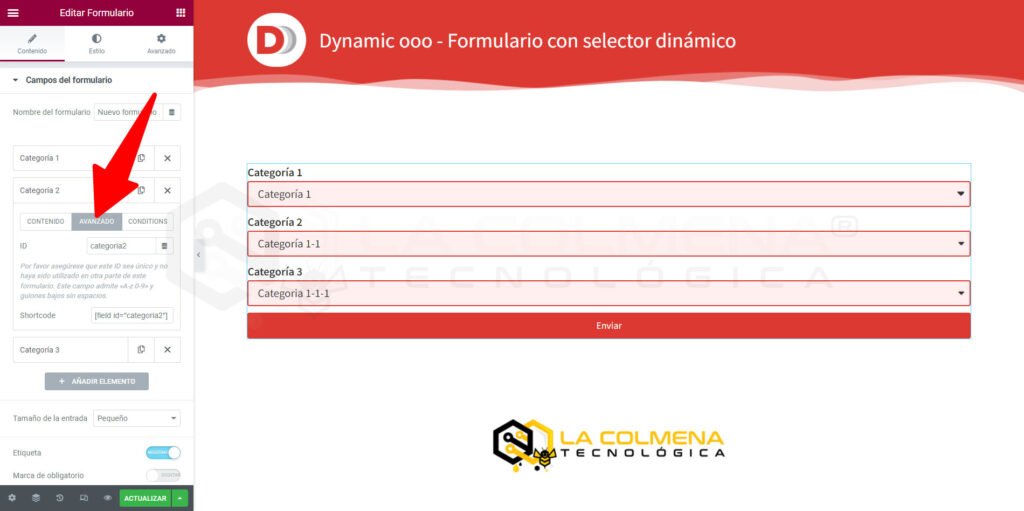
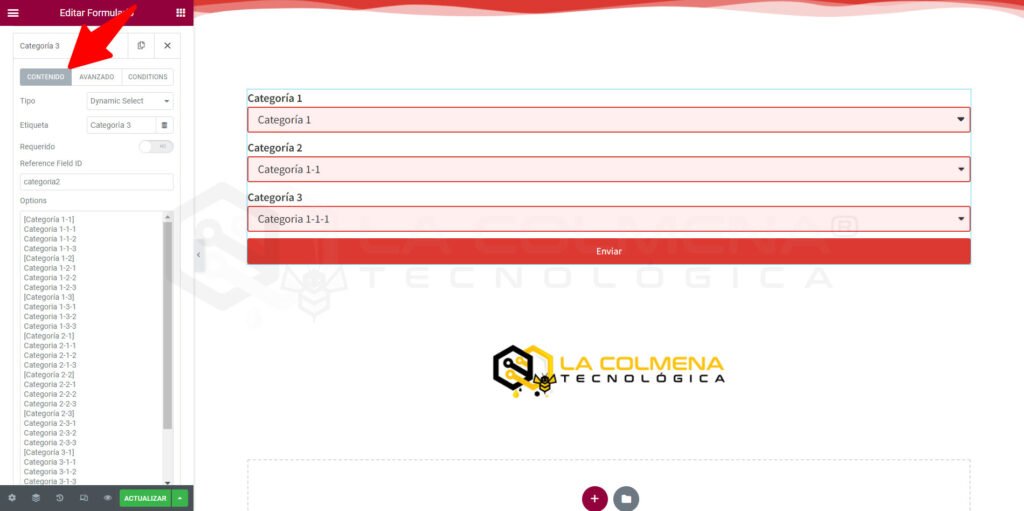
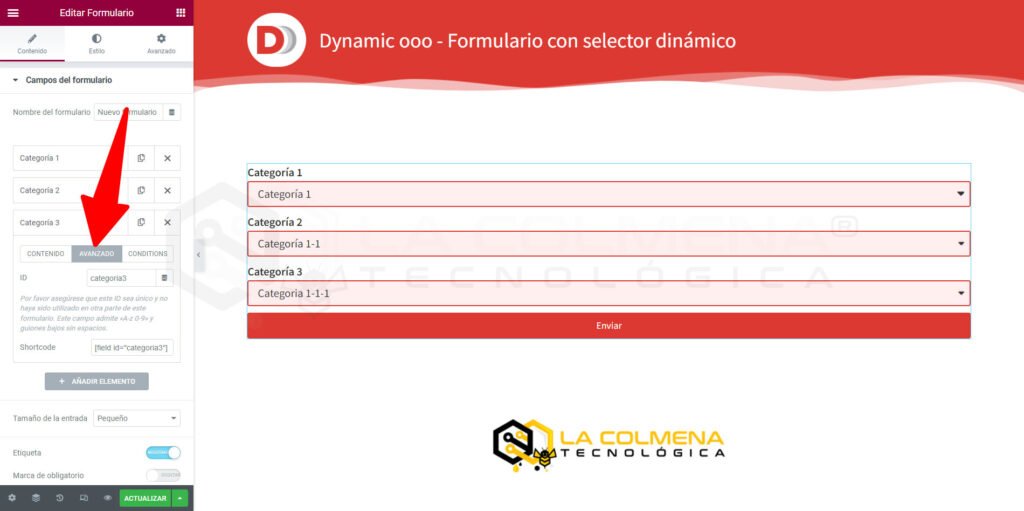
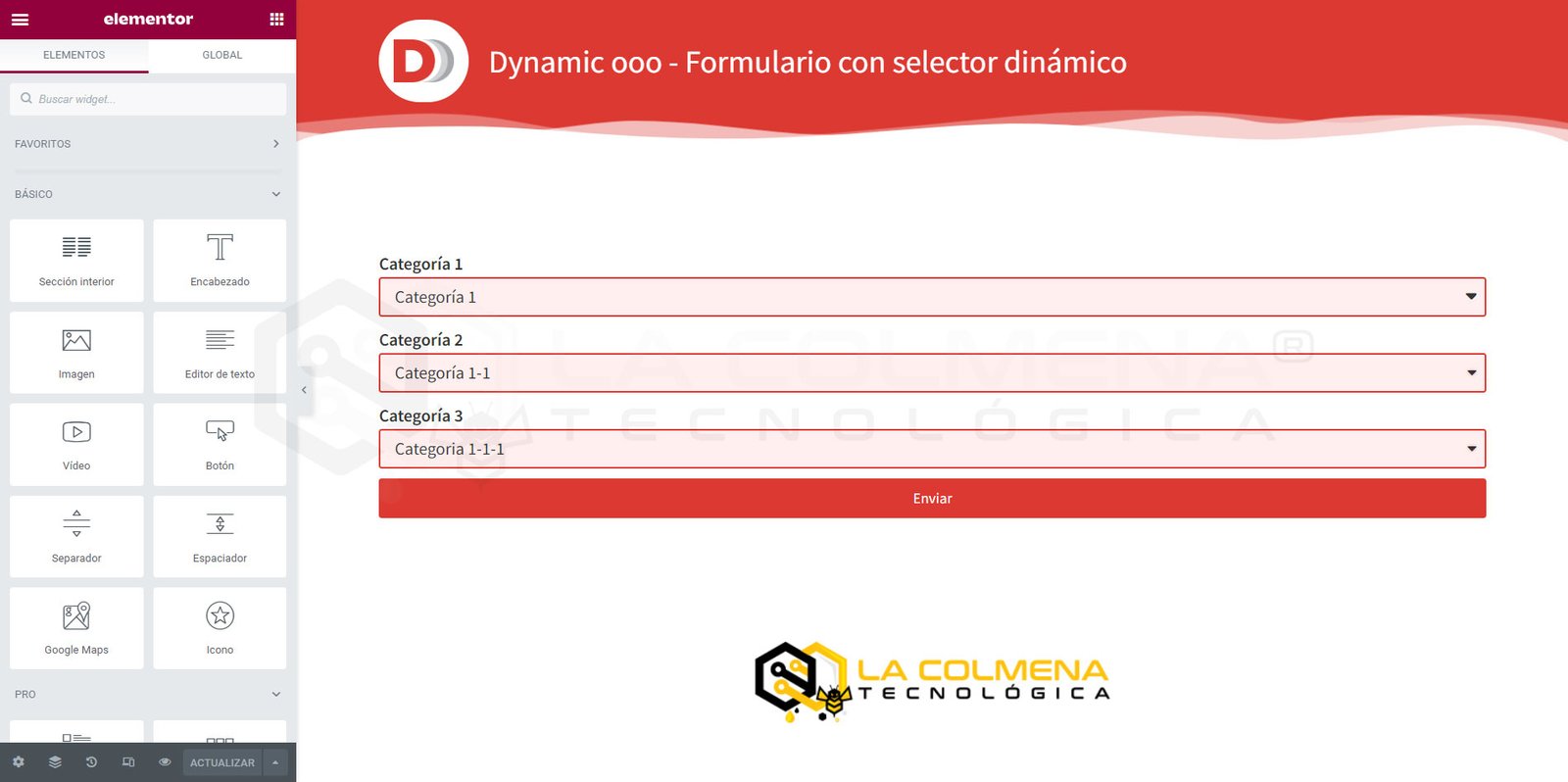
Contenu des champs de sélection
Options dans le champ : Catégorie 1
Categoría 1
Categoría 2
Categoría 3
Options dans le champ : Catégorie 2
[Categoría 1]
Categoría 1-1
Categoría 1-2
Categoría 1-3
[Categoría 2]
Categoría 2-1
Categoría 2-2
Categoría 2-3
[Categoría 3]
Categoría 3-1
Categoría 3-2
Categoría 3-3
Options dans le champ : Catégorie 3
[Categoría 1-1]
Categoria 1-1-1
Categoria 1-1-2
Categoria 1-1-3
[Categoría 1-2]
Categoria 1-2-1
Categoria 1-2-2
Categoria 1-2-3
[Categoría 1-3]
Categoria 1-3-1
Categoria 1-3-2
Categoria 1-3-3
[Categoría 2-1]
Categoria 2-1-1
Categoria 2-1-2
Categoria 2-1-3
[Categoría 2-2]
Categoria 2-2-1
Categoria 2-2-2
Categoria 2-2-3
[Categoría 2-3]
Categoria 2-3-1
Categoria 2-3-2
Categoria 2-3-3
[Categoría 3-1]
Categoria 3-1-1
Categoria 3-1-2
Categoria 3-1-3
[Categoría 3-2]
Categoria 3-2-1
Categoria 3-2-2
Categoria 3-2-3
[Categoría 3-3]
Categoria 3-3-1
Categoria 3-3-2
Categoria 3-3-3
Visitez la page avec un résumé de tout ce que vous pouvez faire avec Dynamic.ooo : CLIQUEZ ICI