Step-by-step video
Requires the Dynamic ooo plugin to be installed.
Enable the Dynamic Select for Elementor Pro Form extension
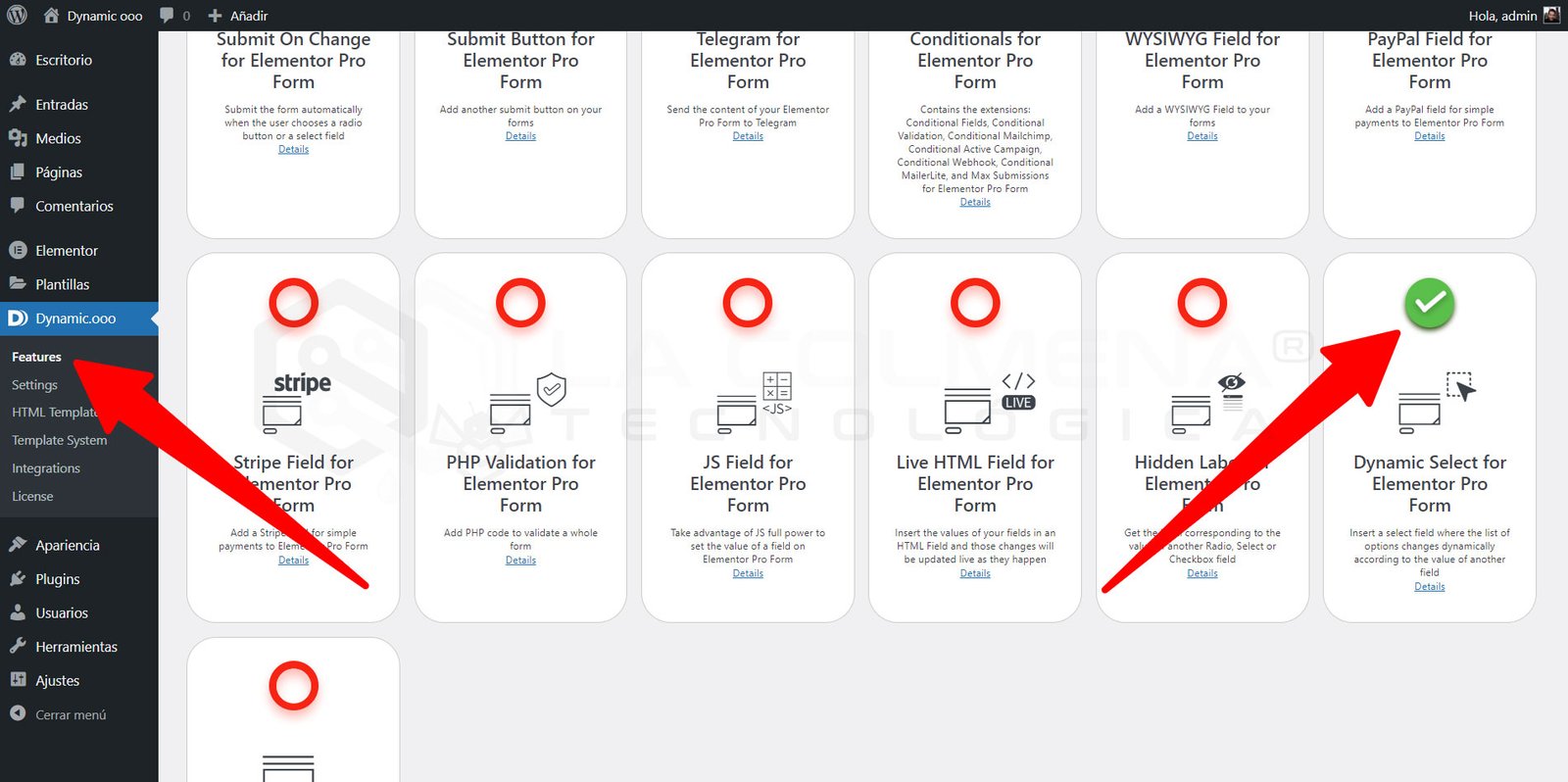
- Go to Dynamic.ooo > Features
- Click the Extensions tab
- Scroll to the Dynamic Select for Elementor Pro Form extension and click the red circle to enable it
- Don’t forget to click the Save Extensions button so the change is saved
Some screenshots to help you
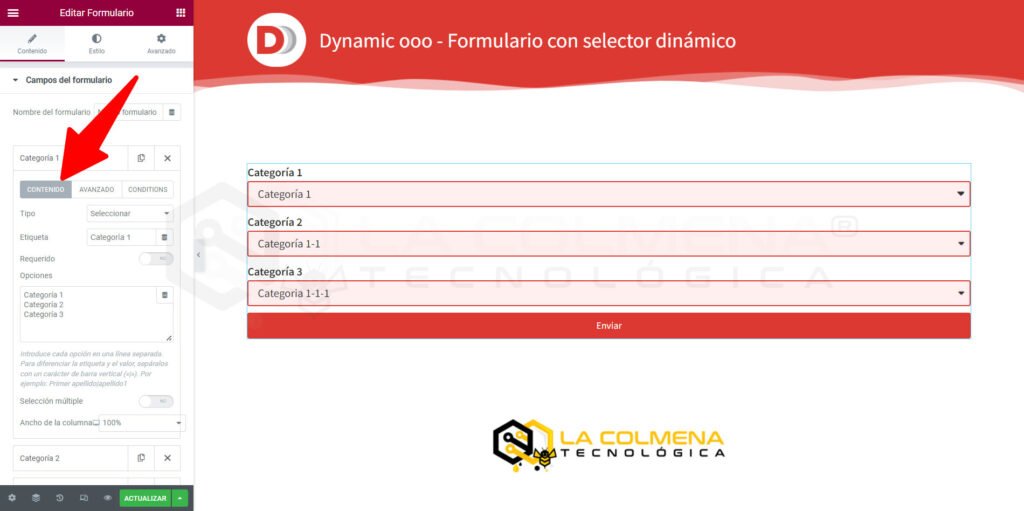
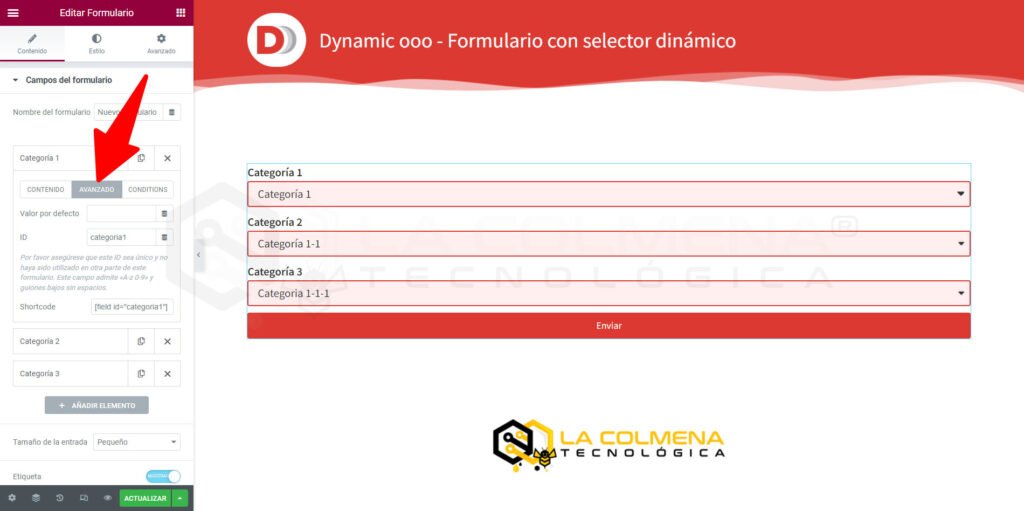
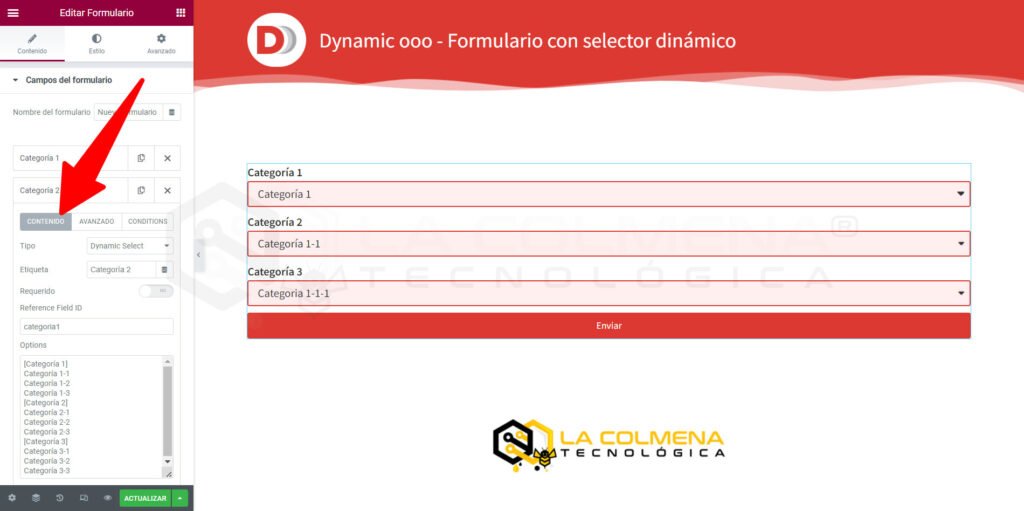
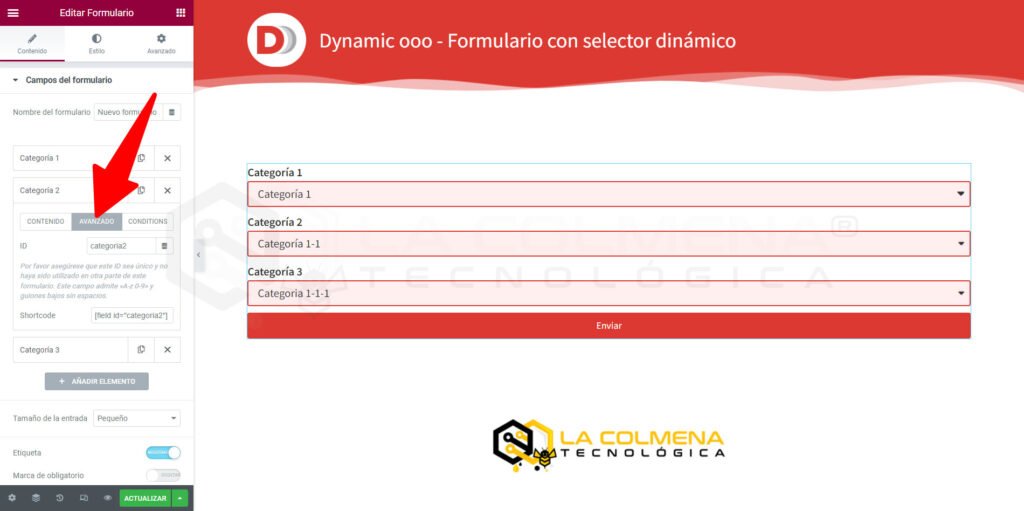
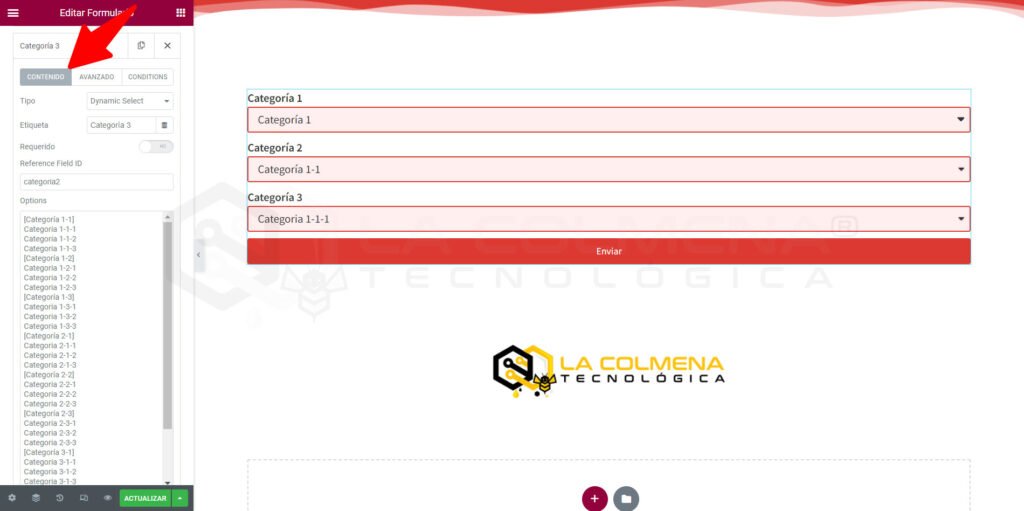
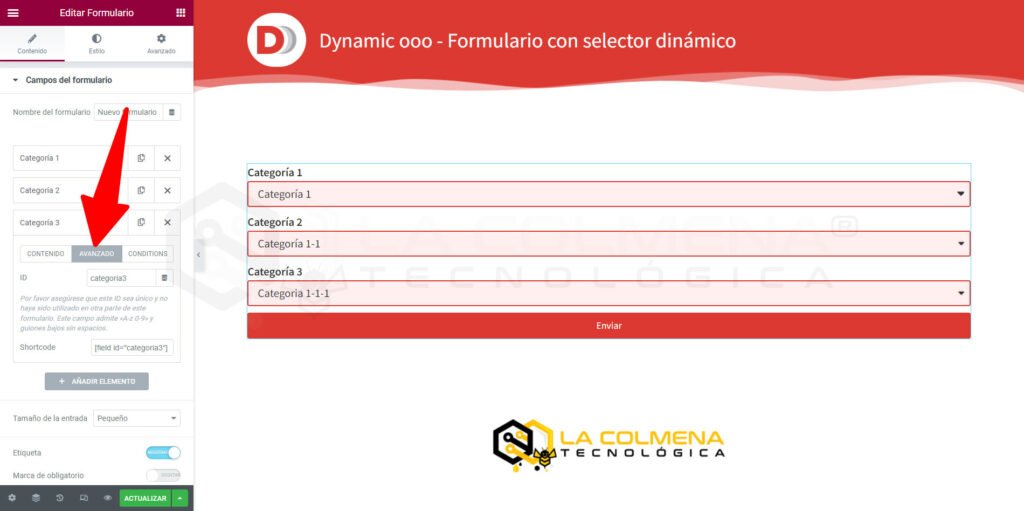
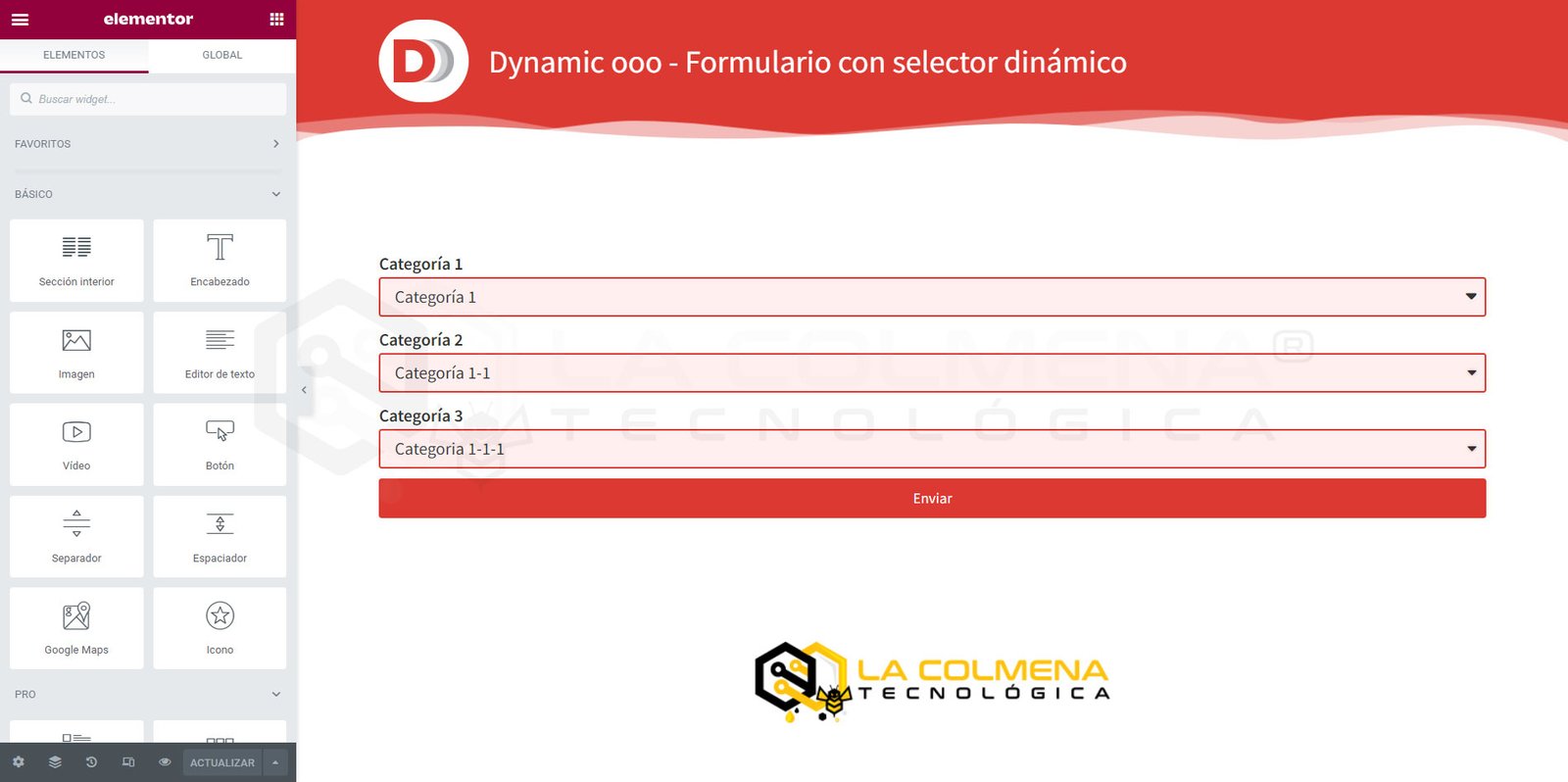
Select field content
Field options: Category 1
Categoría 1
Categoría 2
Categoría 3
Field options: Category 2
[Categoría 1]
Categoría 1-1
Categoría 1-2
Categoría 1-3
[Categoría 2]
Categoría 2-1
Categoría 2-2
Categoría 2-3
[Categoría 3]
Categoría 3-1
Categoría 3-2
Categoría 3-3
Field options: Category 3
[Categoría 1-1]
Categoria 1-1-1
Categoria 1-1-2
Categoria 1-1-3
[Categoría 1-2]
Categoria 1-2-1
Categoria 1-2-2
Categoria 1-2-3
[Categoría 1-3]
Categoria 1-3-1
Categoria 1-3-2
Categoria 1-3-3
[Categoría 2-1]
Categoria 2-1-1
Categoria 2-1-2
Categoria 2-1-3
[Categoría 2-2]
Categoria 2-2-1
Categoria 2-2-2
Categoria 2-2-3
[Categoría 2-3]
Categoria 2-3-1
Categoria 2-3-2
Categoria 2-3-3
[Categoría 3-1]
Categoria 3-1-1
Categoria 3-1-2
Categoria 3-1-3
[Categoría 3-2]
Categoria 3-2-1
Categoria 3-2-2
Categoria 3-2-3
[Categoría 3-3]
Categoria 3-3-1
Categoria 3-3-2
Categoria 3-3-3
Visit the page with a summary of everything you can do with Dynamic.ooo: CLICK HERE