
It is easy to publish an article and discover later that its SEO metadata is missing. SEOPress Pro can generate an empty SEO title and description with AI when content is first published. Enable only what you need, then verify what happens to fields you have already written.
What it does and when it runs
Generation runs when a draft or scheduled post becomes published. Saving a draft does not trigger it. Updating content that was already published does not generate its metadata again.
Fields are checked separately. If you have written a title but left the description empty, the automation can fill only the description. If both contain text, it keeps both. Manual or bulk generation actions can behave differently and replace existing text.
You need SEOPress and SEOPress Pro, an available AI provider and a configured connection. Paid provider usage is billed separately from the plugin licence. Use your own API account or an authorised account belonging to your organisation.
1. Enable the fields you want to fill
In SEO → PRO → AI, configure the provider, key and model. Under Automatic generation on publish, enable generation for an empty description and, if needed, an empty title. These are separate controls. Save your settings.
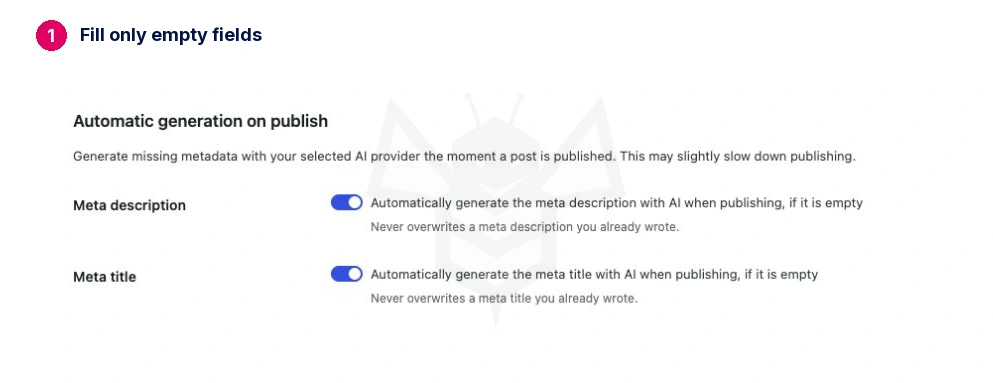
If you always write titles yourself, you can enable descriptions only. Keeping the automation focused makes its results and consumption easier to review.
2. Test a post with a manual title
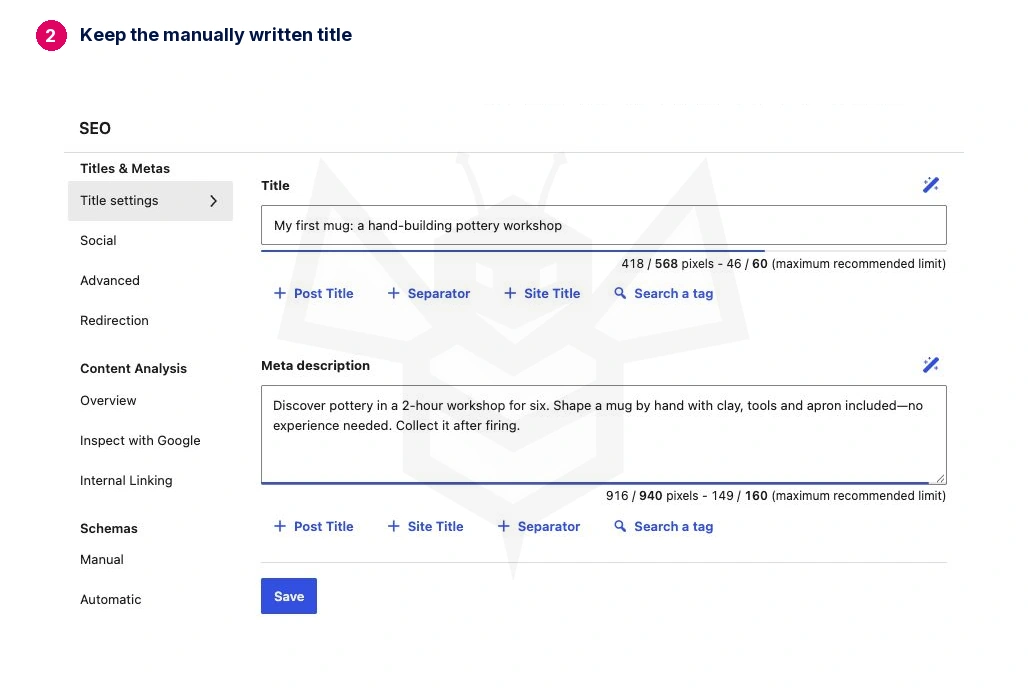
Create a draft with enough information to summarise. Write a recognisable SEO title and leave the SEOPress description empty. Record both values before publishing.
Publish once, then reopen the post after the process finishes. Check that the manual title is unchanged and the new description respects the page's language and facts. Also inspect the public page: saving a field and displaying it correctly are separate checks.
On a multilingual site, test each language you intend to use. The administration interface language alone does not establish the output language; the content and translation integration also matter.
3. Check the trigger's limits
| Action | Behaviour to verify |
|---|---|
| Save a draft | This automation does not generate metadata. |
| First publication with empty fields | Fills enabled fields that are missing. |
| First publication with one manual field | Keeps that field and can fill the other. |
| First publication with both fields written | Keeps both. |
| Update an already published page | Does not repeat generation. |
| Scheduled publication | Also depends on WordPress scheduling actually running. |
For a scheduled post, wait for the real event and check its published status and fields. Clicking Schedule does not prove the later event worked.
4. If the description remains empty
Check AI logs, connection, model and provider billing. Repeatedly updating a published post will not retry this trigger. Resolve the cause, then fill the field manually or use the appropriate AI action after checking whether it replaces existing values.
Do not delete and republish real content just to trigger another request. Avoid emptying carefully written fields to force generation.
Cost and review
Cost depends on the provider, model and actual usage. A publication may require filling one field, both or neither; the article count is not automatically the request count or a fixed cost.
In the real test on 14 October 2026, filling a description while keeping a manual title used 160 input tokens and 116 billed output tokens. With GPT-5.6 Luna, the calculated cost was USD 0.0001712. The title remained identical and a later update made no further request.
A scheduled publication was also checked: it became published and generated both fields eight seconds after its scheduled time. That request used 276 input tokens and 141 output tokens, a calculated USD 0.0002244. Scheduling on your site may depend on visits or a server cron.
These are short laboratory examples calculated at the standard rate checked that day—USD 0.20 per million input tokens and USD 1.20 per million output tokens—before taxes or other billing adjustments. They are not a fixed price or a settled invoice.
Measure a test before deciding what to automate. The benefit is avoiding forgotten fields; accuracy still needs review. Generated metadata does not guarantee search results.
Expected result: first publication fills only the empty fields you enabled, preserves manual wording and does not regenerate it on later updates.
Sources: SEOPress generation on publication and official GPT-5.6 Luna pricing.