
Step-by-step video
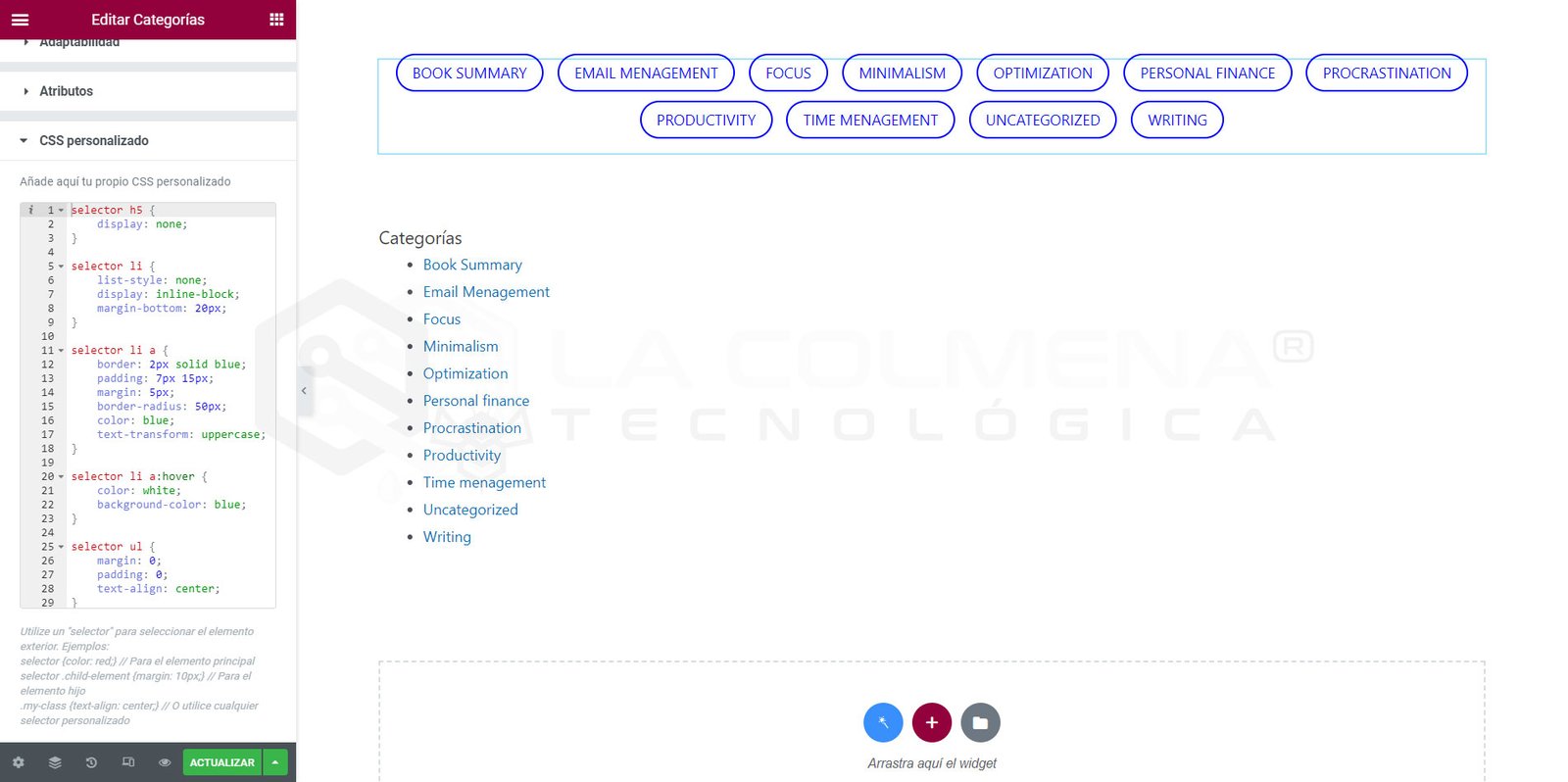
In this example, I will transform the styles of the WordPress Categories widget using the Custom CSS section of the Advanced tab with Elementor. If you are a subscriber to one of the licenses, simply log in to see the step-by-step details.
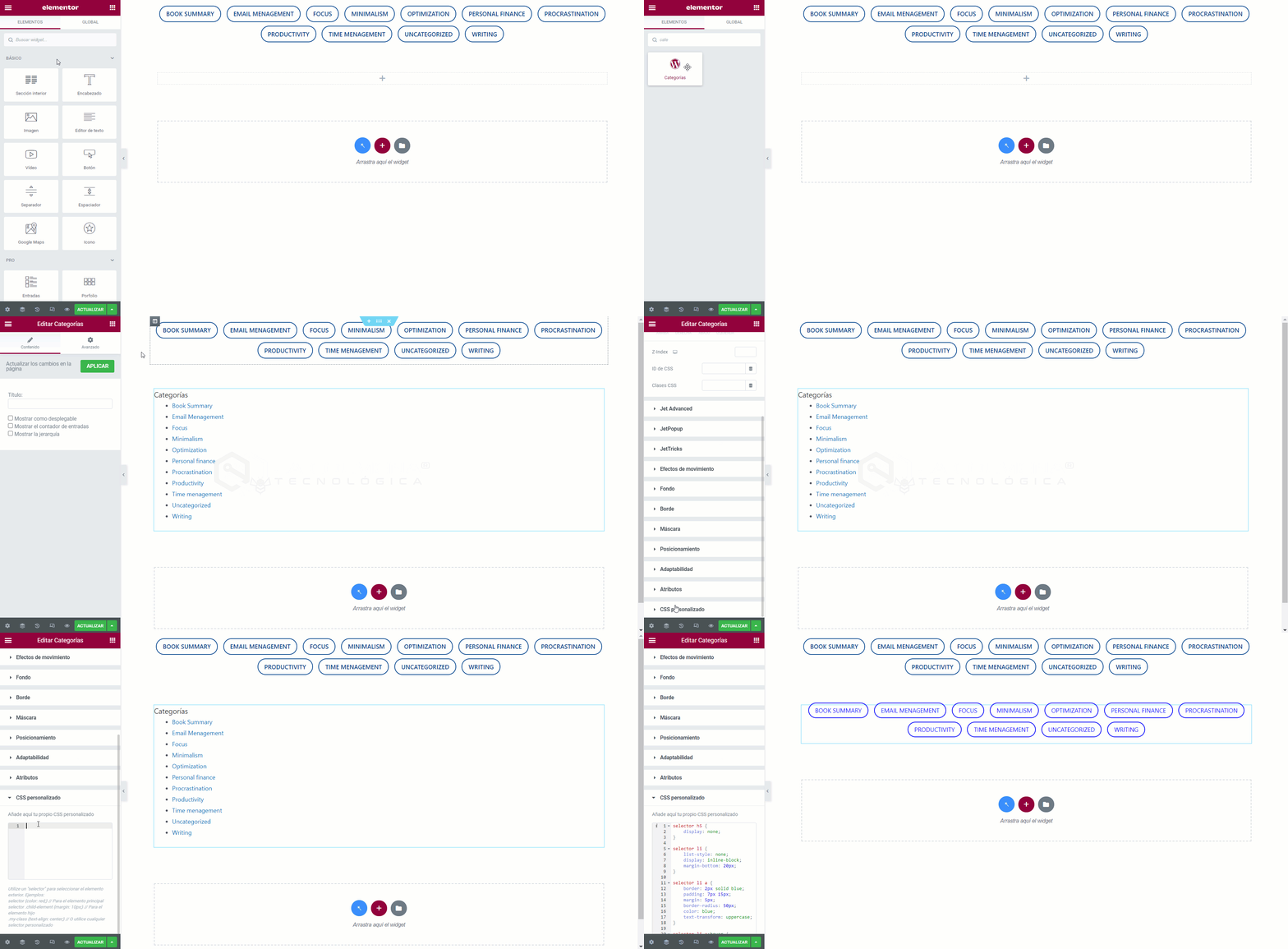
- Insert the Categories widget into our document
- Click on the Advanced tab
- Click on the Custom CSS section and paste the CSS code
CSS Code
Copy the code used in this video tutorial.
selector h5 {
    display: none;
}

selector li {
    list-style: none;
    display: inline-block;
    margin-bottom: 20px;
}

selector li a {
    border: 2px solid blue;
    padding: 7px 15px;
    margin: 5px;
    border-radius: 50px;
    color: blue;
    text-transform: uppercase;
}

selector li a:hover {
    color: white;
    background-color: blue;
}

selector ul {
    margin: 0;
    padding: 0;
    text-align: center;
}