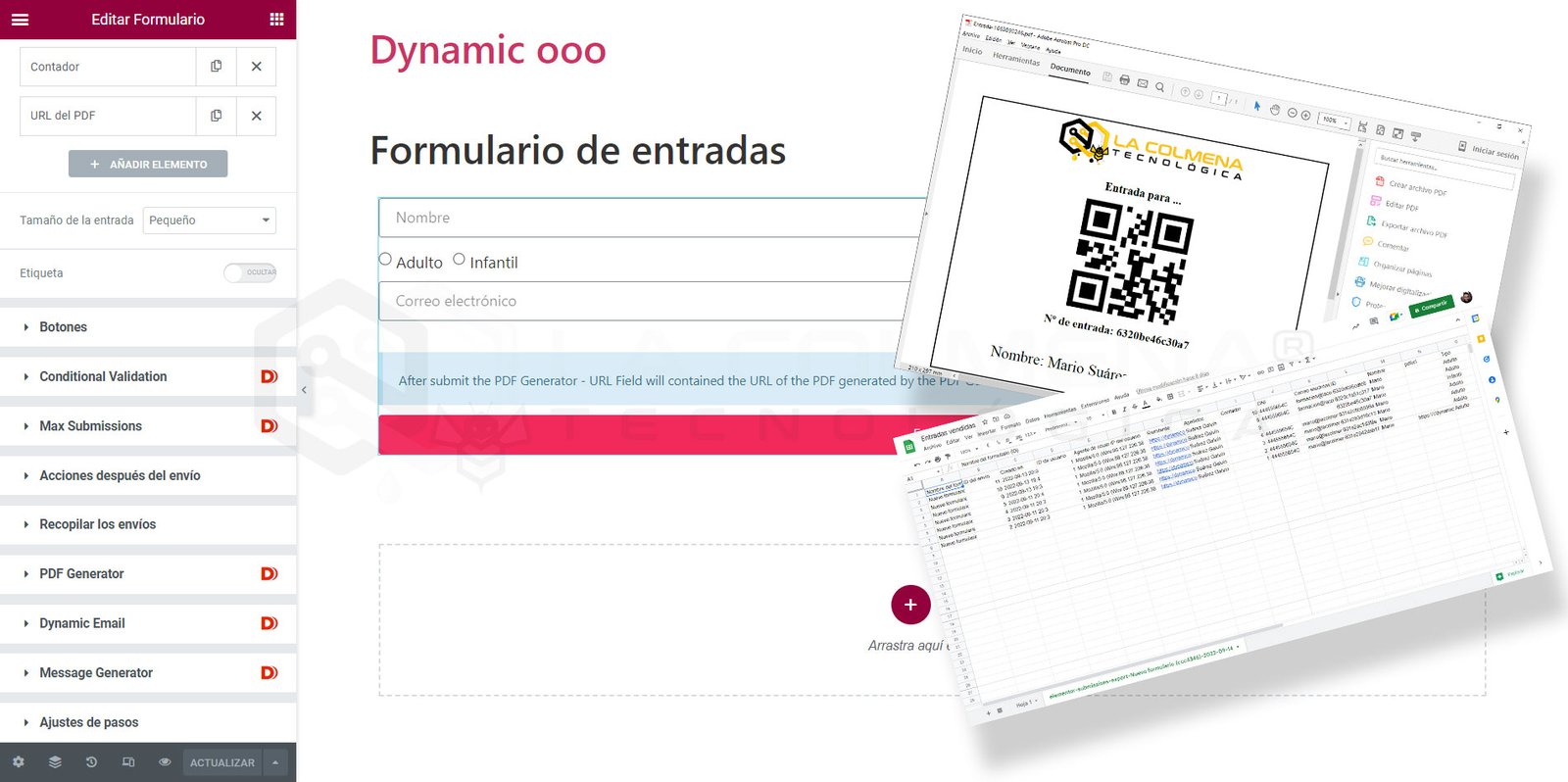
PDF ticket sales form and email delivery with Dynamic.ooo
Create, manage, and export tickets automatically. Dynamic forms with PDF generation and spreadsheet control.
Table of contents
Step-by-step video
In this project, we see how to create a ticket sales form that, when submitted, generates a PDF file with a design created through an Elementor template including our logo, a unique ID number for each ticket, a QR code for this unique ID, and user data.
The user will be able to download the PDF right after submitting the form, and they will also receive an email with the ticket PDF attached.
To see a summary of all dynamic.ooo widgets and extensions, click here.
Plugins and features required for this project
Plugins
To complete this project, you need to have the following plugins installed.
Elementor (you can download it for free from the WordPress repository)
Activate the features by navigating through the WordPress Dynamic.ooo > Features menu.
Widgets
QR & Barcodes: allows you to easily create 1D and 2D barcodes, such as EAN and QRCode, and display them as PNG, SVG, or HTML.
Text Editor with Tokens: adds shortcodes within the text of a post. As a result, you can display values from a form, Post, Terms, User, Date, WP_Query, System, and Options.
Extensions
Dynamic Email for Elementor Pro Form: easily create email templates with all the advantages of Elementor to send the emails you need, including dynamic form data.
Message Generator for Elementor Pro Form: if the standard Elementor Pro Form submission success message doesn’t meet your needs, this extension allows you to create custom-designed content using an Elementor template with dynamic content.
Unique ID Field for Elementor Pro Form: with this hidden field, you can generate a unique ID to use in PDF Generator or Dynamic Email after submitting an Elementor Pro form.
Counter Field for Elementor Pro Form: Perfect for tracking submissions. You can add a fixed value or a value from another form field to the counter. For example, you can add the number of tickets sold to the counter so you can check the limit with the “Max Submissions for Elementor Pro Form” extension. It can also be useful if you want a sequential number to manage the numbering of your invoices created with the “PDF Generator for Elementor Pro Form” extension.
PDF Generator for Elementor Pro Form: generates a PDF from an Elementor template containing all the dynamic data from the form, post, or registered user.
Conditionals for Elementor Pro Form: you can hide or disable a field based on the content of other fields. You can also configure maximum submissions for Elementor Pro Form.
Dynamic Tags
Dynamic Tag – Tokens: brings dynamic functions to all controls in widgets that include the Dynamic Tags button.